Showing posts with label Content. Show all posts

Tuesday, May 26, 2020

Tutorial: how to create custom Enscape assets

Today's post comes compliments of industry expert Pieter Schiettecatte from A+I in New York City. Click here to see all this posts on this blog.

I want to share a workaround we’ve developed to set up a custom Enscape asset library. We’ve been using this workflow for 10 months and it has worked well for us. That said, use this at your own risk because it’s not officially supported by Enscape.

A screenshot of our custom library with 347 assets

To create an Enscape asset you will need:
  • A 3d model (.gltf file + .bin + textures )
  • Optional: a simplified placeholder (.obj)
  • Optional: a thumbnail (256x256 jpg)
  • Our in-house Asset Generator tool
Enscape uses the open source .gltf format for its assets. We’ve build most of our custom assets in 3ds Max, exporting them to Gltf with the free Babylon Exporter.

However, for this tutorial we will be using the powerful new Blender 2.82, as it’s free, open source and has a built in .gltf exporter.

keep reading to learn more...

Tuesday, February 27, 2018

Revit Content Review: Lindab Gutters and Downspouts

Henrik Bengtsson is the Development Manager at the Swedish company Lindab. He just posted an update on some content I have looked at previously but not posted on.

  • BTW, speaking of Sweden, my City has a "sister city" relationship with Växjö Sweden, so my family made a point of visiting when we were in the region for the BILT-Eur 2017 conference in Denmark. Click here for more about the "sister city" relationship: Duluth Sister Cities International.

LinkedIn Post: The next generation of BIM objects for Lindab Rainwater Systems is now available for Revit.

I will share a quick overview of this content... and while the rainwater system, design wise, is specific to the European market, it is good content and could certainly be used (and even modified) in other regions.

To start, here are a few Enscape generated images of the content...

Monday, January 29, 2018

TMI Casework Revit Families Released

Quick review of some new casework content by a manufacturer we use on projects often... TMI System.

The content has several nice features built into it like filler panels and swap-able hardware. There are a few items lacking, like not being able to control the finish of the hardware and a bunch of Reference Planes that might be better set to Not a Reference. But overall it appears to be decent content.

The base cabinets are non-hosted and the wall cabinets are face based. Not much changes when Detail Level is adjusted from Course to Fine, which is generally fine with me. Various elements have Visibility Settings applied as expected.

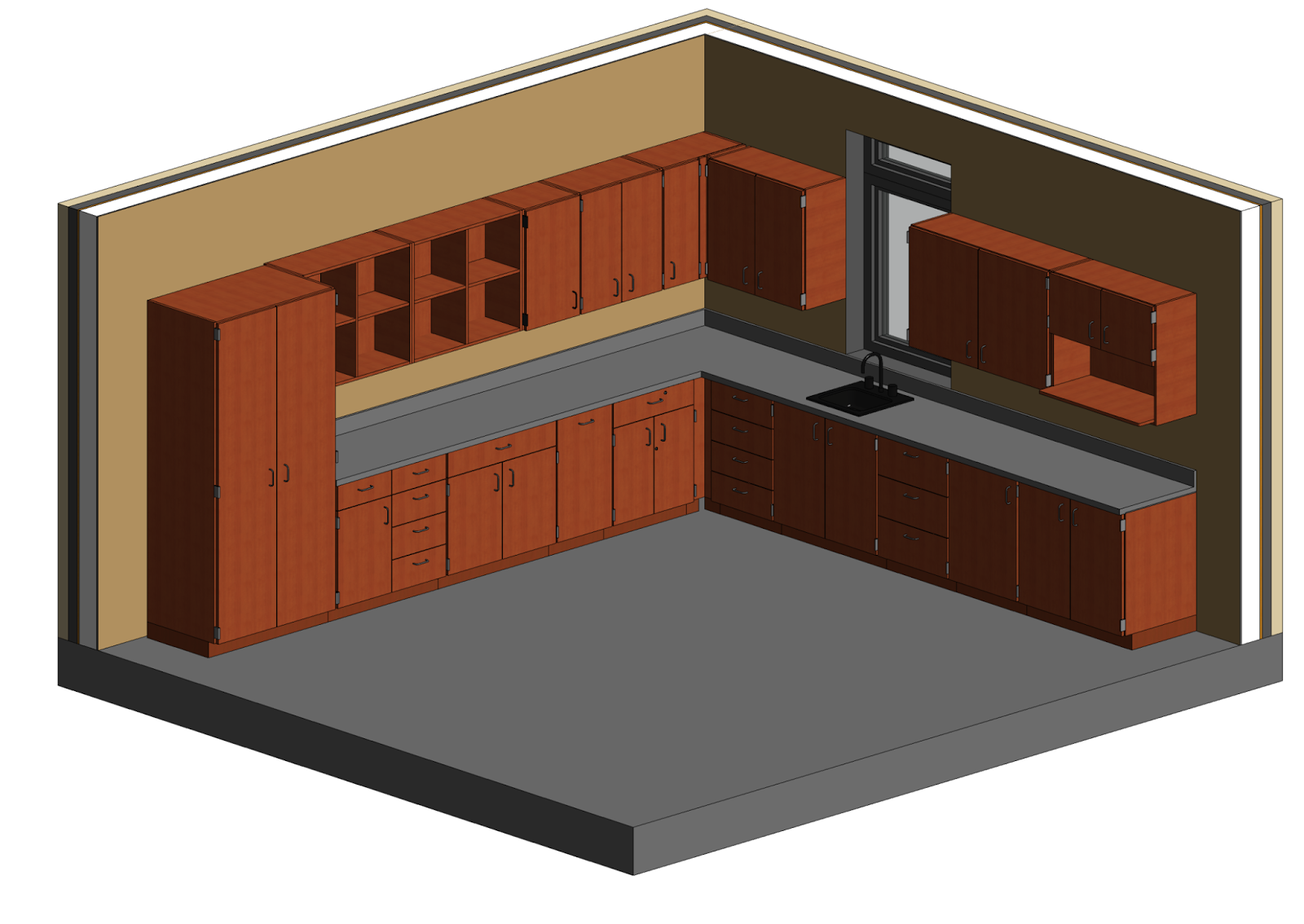
Here is the Revit model created to review the content...


On their website they list several features built into the content, as shown in the next...

Tuesday, September 12, 2017

Templates and Families Not Installed

A not too uncommon issue, in the world of installing Revit, is missing content;templates and families. The issue often relates to the fact that content is downloaded separately during the install process, so internet connectivity is important.

The problem is often obvious immediately when you first open Revit, with a prompt like "The path to the default family template files is invalid". In this post I will provide a few pointers on how to get this issue resolved.


For Revit 2016 - 2018.1 versions...

Monday, July 24, 2017

Revit 2018.1 - New Content, Part 2

In my previous post, Revit 2018.1 - New Content, Part 1, I talked about the new appliance families provided with the Revit 2018.1 update. In this post I will cover the new window content. I had the opportunity to test drive the window content, with some of the Autodesk staff working on this, while I was at Revit: Inside the Factory in Shanghai China last October (2016). I am super excited to see a feature I recommended, and don't often see in Revit door/window content in general, was added to the final product; more on this later.
  • FYI: Keep in mind, this content is part of the 2018.1 update, but is fully compatible with the original Revit 2018 install. Click here to download the new content.
Window Content Preview in Windows Explorer

The new window content consists of...

Friday, July 21, 2017

Revit 2018.1 - New Content, Part 1

Autodesk Revit 2018.1 comes with a significant content update which I think a lot of people will be able to use; especially the new structural content. But even the new appliances and window will be beneficial to many.

There is a lot to talk about so I will break this discussion up into 2 or 3 posts. Today I will cover the appliances. The windows will take a little more time to document... they are powerful, but may not be super intuitive to everyone. So I want to spend a little time to unravel what is going on under the hood.

Update: Links to Part 2 (windows) and Part 3 (system furniture).

  • BTW, I had the opportunity to test drive the window content, with some of the Autodesk staff working on this, while I was at Revit: Inside the Factory in Shanghai China last October (2016).
The content is provided...